Find it now. Read it when you’re ready.
-
1
Spot it
Click the magpie in Chrome (
Ctrl+Shift+S,⌘⇧Son Mac), paste a link on the web, or share from any app on Android, iPhone, or iPad. -
2
Stash it
Sroka grabs the clean article — text, images, comment threads, or PDFs — and tucks it into your synced library.
-
3 Works offline
Read it
Native mobile apps download saved articles automatically (over Wi-Fi by default, according to your settings). On a plane, on the train, or in a tunnel — it’s waiting.
No signal? Keep reading.
On Android, iPhone, and iPad, saved means offline — article text, images, and supported discussions download automatically according to your settings. Airplane mode, subway tunnels, mountain cabins: your list goes with you.
- Downloaded on saveNo extra step. Saved articles download over Wi-Fi by default so they’re ready offline in your native apps.
- Images & PDFs includedArticles and saved PDFs are stored locally so they open with or without a connection.
- Progress syncs laterWhere you stopped in an article syncs across every device once you’re back online.
The discussion comes too.
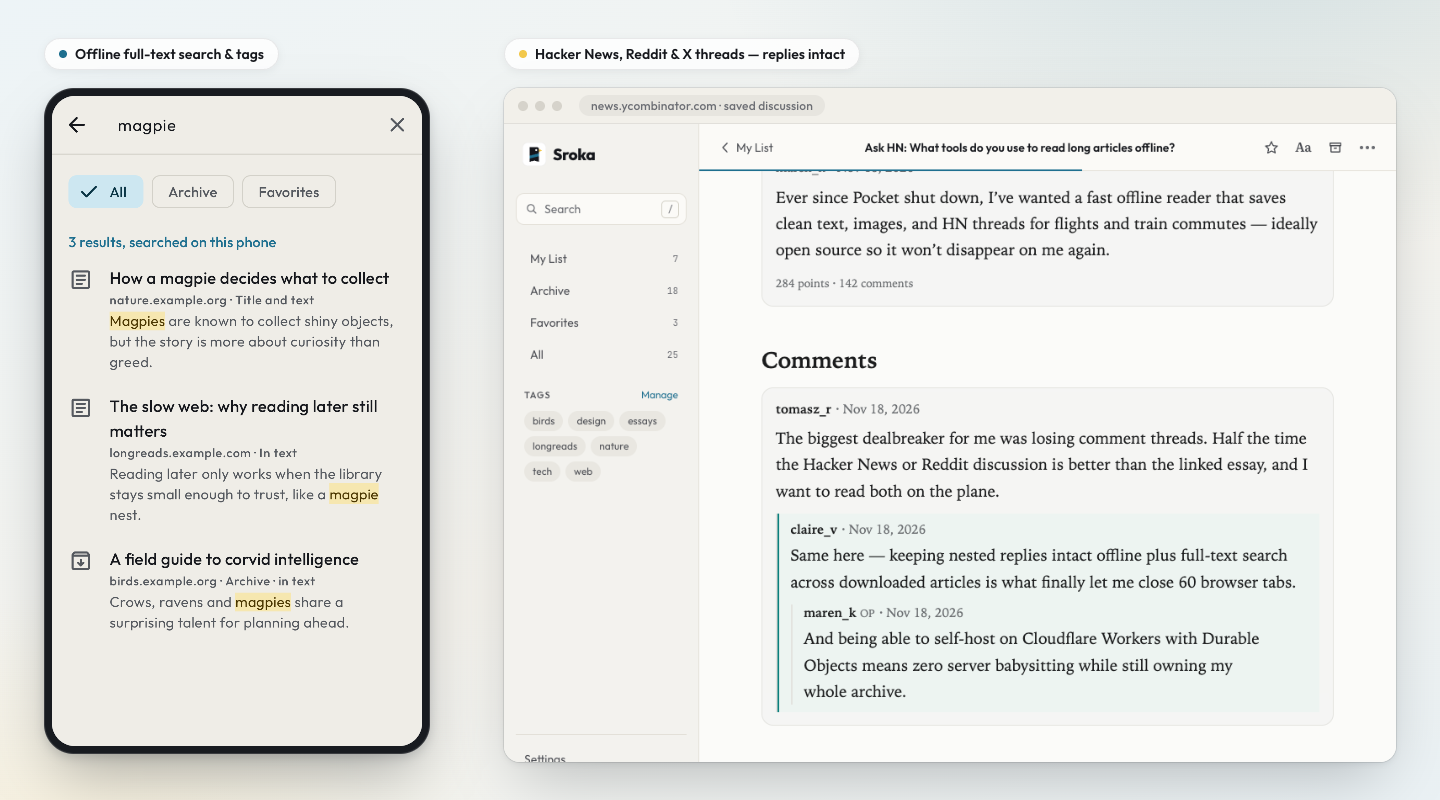
Sometimes the comments are the best part. Save a Hacker News story or Reddit post (best via Chrome for full comment trees) to keep nested replies, or stitch an X thread into one clean page.
-
Reddit
The post and its comment tree, with nested replies kept right where they belong.
-
X
A long thread stitched into one clean page — quoted posts, images, polls, and community notes included.
-
Hacker News
The story and its comments in the same order you’d read them on HN.
Saved a link to a single comment? Sroka highlights it, along with the replies that led to it.
Find it again, even offline.
Tag your saves, star favorites, filter by quick reads, and archive what you’ve finished. On Android, iPhone, and iPad, full-text search looks inside your downloaded articles with zero signal.
Moving from Pocket or Instapaper?
Import your existing Pocket export, Instapaper export, or browser bookmarks right in Settings — and export your reading list as CSV or JSON whenever you like.
Just the words.
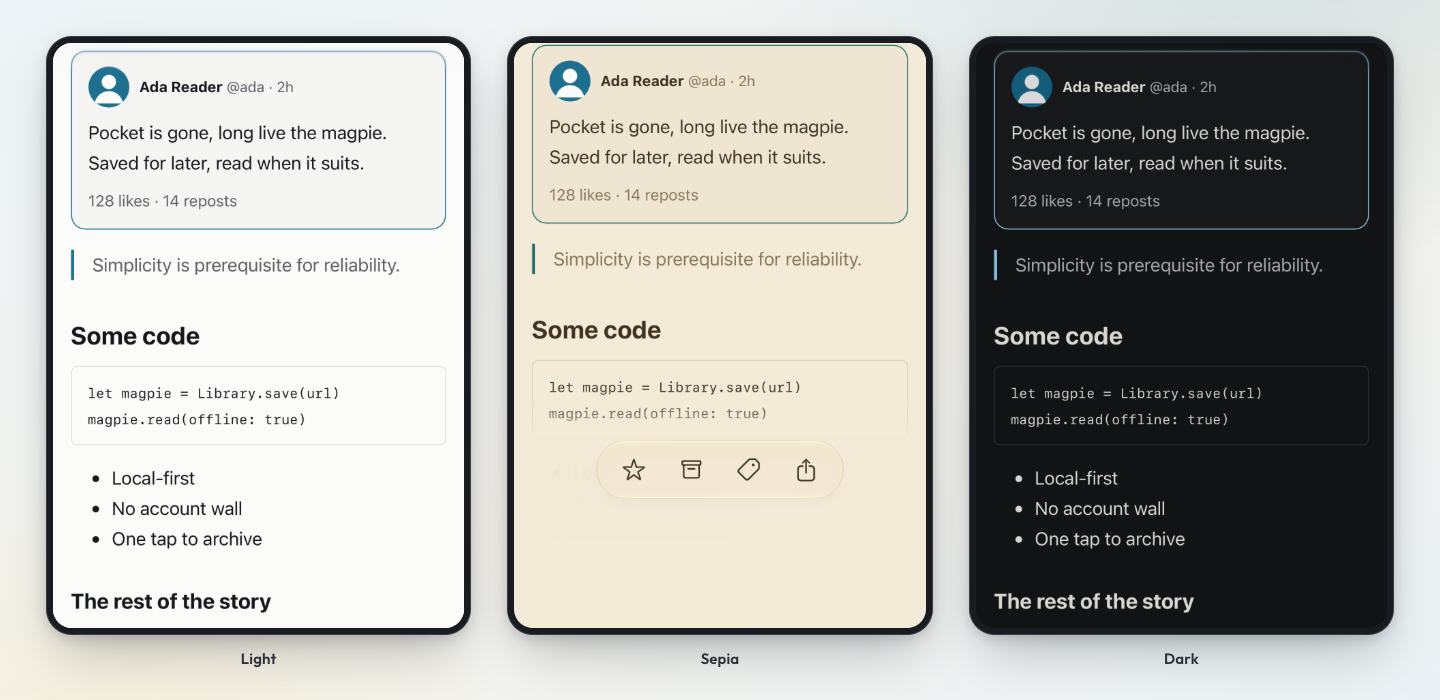
Ads, pop-ups, and clutter stay behind. Open any saved article in a calm reader with adjustable font, size, line spacing, and Light, Sepia, and Dark themes — or open saved PDFs right beside them.
Built for phones, foldables, and tablets.
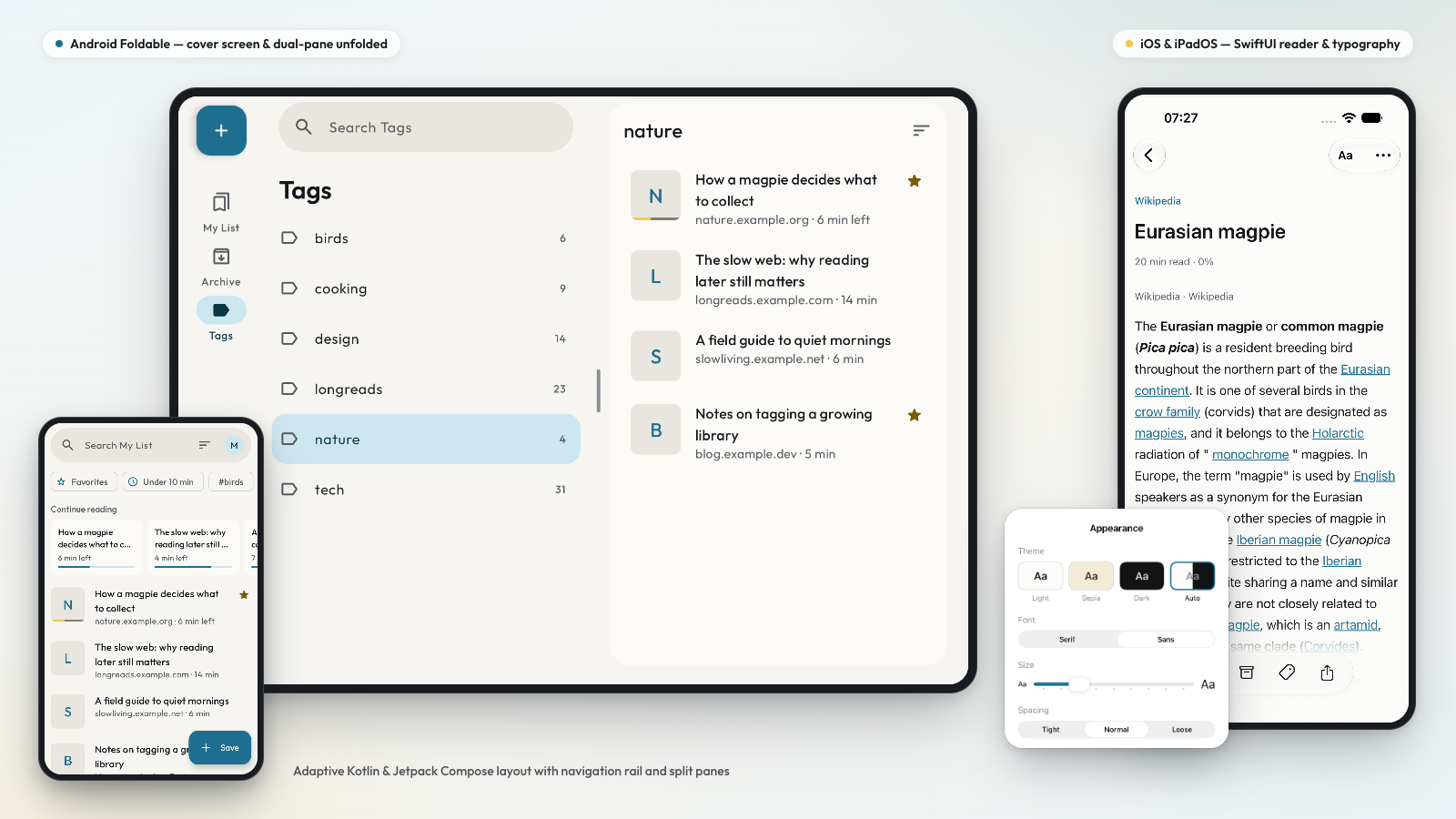
No sluggish webview wrappers. Android is built in Kotlin and Jetpack Compose with adaptive cover-screen and dual-pane foldable layouts; iPhone and iPad run native SwiftUI with split view and a native share sheet.
Built to stay around.
Pocket shut down in 2025, and a lot of us lost our reading shelf. Sroka is free, has no ads, and puts every line of its code in the open — hosted at sroka.app or self-hosted on your own Cloudflare account.
-
Free & open source
Licensed under Apache 2.0. Web app, Chrome extension, Android, iOS, and Cloudflare Workers all live in one public repository.
-
Private by default
Passwordless email code sign-in. Nobody tracks what you read, analytics stay off until you opt in, and you can delete your account and data anytime.
-
Self-host on Cloudflare
Run the exact same serverless backend (Workers, SQLite Durable Objects, Queues, R2) on your own Cloudflare account and point the apps at your server.